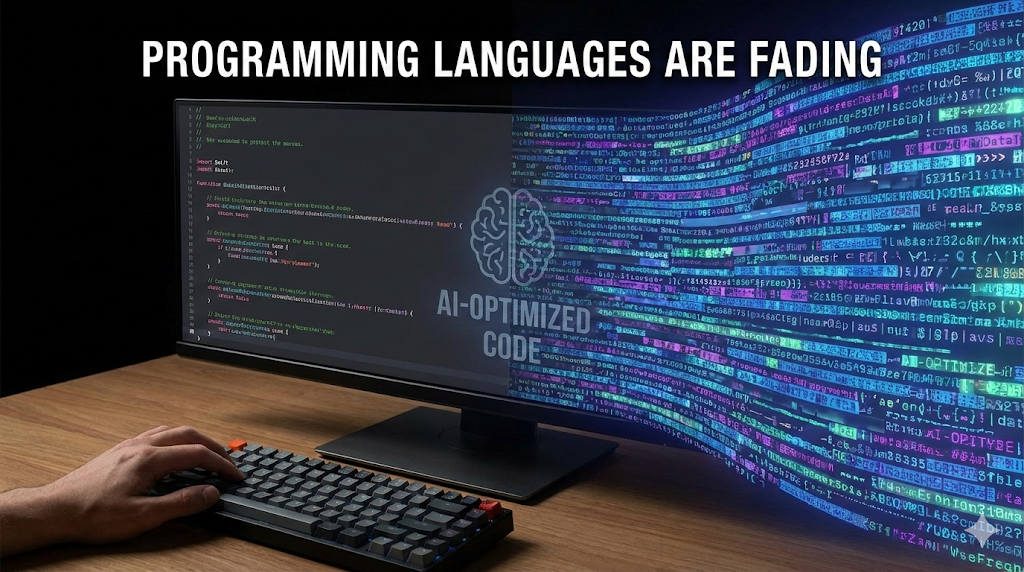
Programming Languages Are Fading — At Least in the Form We Recognize

AI-Optimized Code

TL;DR

  • If AI writes, reads, and maintains most code, programming languages will evolve for machines, not humans.
  • We may be the last generation that writes code meant to be read.
  • The shift isn’t dramatic—it’s already happening in small, practical ways.

Steve Yegge and Gene Kim gave a talk recently about how IDEs are drifting toward irrelevance. Do yourself a favor and go watch it. They also revisit something Erik Meijer said years ago: we might be the last generation that ever types code. Back then it sounded bold. Today it feels… reasonable.

I’ve been coding for more than forty years. For most of that time, the rule was simple: write code for other developers and for your future self. The computer doesn’t care.

But while building two new apps with Claude Code and Codex, something shifted. After adding a batch of features, my old instinct kicked in: time to refactor, clean up, make it readable. Except—readable for whom?

I wasn’t reading the code. AI wrote it, tested it, explained it, refined it. My job was to describe what I needed.

So I tried an experiment.

I asked the AI to write code optimized not for humans, but for itself.

The result looked like a compressed, almost-obfuscated form of JavaScript—dense, compact, efficient for token limits, context windows, and parsing. In other words: code shaped for a machine, not a human eye. And it worked beautifully.

That felt like a small preview of what’s coming. If AI becomes both the producer and consumer of most code, why would programming languages stay optimized for us? They’ll tilt toward forms that machines can parse, transform, and reason about efficiently. We may still “decompile” them for understanding, but the native form won’t be written with human readability in mind.

This doesn’t mean human coding disappears. There will always be people who write software the way watchmakers build watches—slowly, deliberately, for the craft of it. But the center of gravity is shifting.

More on this soon. The interesting question isn’t whether programming languages are dying—it’s what they’re becoming when humans aren’t the primary audience anymore.

Two Weeks with Vibe Coding (And Why I’m Still Excited)


TL;DR

• In just two weeks, I used AI-powered “vibe coding” to build real apps faster than ever before.
• It’s not about magic prompts—it’s about treating AI like a dev team.
• The approach works best when you go step-by-step and stay in the loop.


I’ve had a bit more time lately, and in just two weeks of diving into AI, I’ve learned more than I had in the past few years. It’s been both exciting and surprisingly productive. One thing that really stood out: vibe coding.

It’s still a bit of a buzzword, sure—but the idea is surprisingly solid. Instead of writing code line by line, you describe what you want, and the AI fills in the rest. It’s not magic, and it doesn’t always get things right. But if you know what you’re doing, this approach can make the development process feel fresh again—less about syntax, more about shaping and evolving ideas.

Over the past couple of weeks, I’ve built two small apps using this approach:

  • A Node.js + Svelte recipe book app
  • A Python app for ReMind, my AI journaling tool

Each one took about two hours to get into shape. To put that in perspective: I’ve been coding for decades. Even with my experience, building those same apps solo would take 2–3 days each. That’s a serious productivity gain.

And no, I don’t believe in the meme: “Let AI generate code in 5 minutes, then spend a year fixing bugs.” That’s not how I use it—and not how I think it should be used. In fact, the way I work with AI mirrors how I’ve led real development teams:

  • Start with structure
  • Build base classes and core functionality
  • Test, review, iterate

Same with AI: give it a piece at a time, step through the logic, review and refine. The feedback is instant, but the thinking behind it is the same.

Demos like the GitHub Copilot Agents video help (like this one), but they also oversimplify things. The demo shows feeding in all the requirements at once and generating the whole app. That’s not how sustainable, maintainable software gets made.

You can even work with multiple AIs at once. On the Node.js + Svelte app, I had one AI doing backend, another doing frontend—they weren’t stepping on each other. Meanwhile, I had a Swift agent off doing something else entirely. It felt like managing a small team that never sleeps and doesn’t argue about code style.

I’m not tied to a specific model. I’ve used GitHub Copilot Agent—it’s fast and slick, but VS Code isn’t my preferred IDE. I’m a fan of JetBrains tools like WebStorm, and they’ve just released Julie—an AI agent that can run unit tests as it applies changes. It’s slower than Copilot for now, but promising.

I’m genuinely excited. When it’s done right, this approach can really speed things up—especially for new projects. It may be more challenging to retrofit into large legacy codebases (I’ll test that next), but the potential is real.

More on this soon—especially on how to collaborate well with AI developers. That’s where the real power kicks in.

Architecture of psbFinances

Every time you start a new application, you ask yourself: what should I use to build it. Should you stick to what you know or use something new. I’ve made a few decisions about the architecture of psbFinances. For the last 9 years I’ve been working with node.js, React and MySql. I’ve built platforms for 6 startups with this stack. That’s what I used for psbFinances. But there was a couple of decisions I’ve made “inside” this stack.

Note that React is becoming less obvious choice for me these days, but that’s another topic.

TypeScript (TS)

I am big fan of Anders Hejlsberg. I was working with C# since he introduced its first beta. Even before that I’ve used his Borland Delhi. When he announced TypeScript in 2012 I was very interested. He gave many reasons why TypeScript was developed. Great tooling support (like IntelliSence, code completion) was one of them. Since then I was checking the growth of it and was asking myself whether I should use it for my projects. I’ve asked the same question many teams that I’ve lead: “should we go with pure JavaScript or with TypeScript”. Interesting situation. JavaScript developers wanted to have static typing. At the same time more C# developers were asking for dynamics.

9 years ago most of the JavaScript IDE didn’t have a good support for it. But the situation has changed a lot since then. I use WebStorm. It has a very good support for pure JavaScript development, especially in combination with JSDoc. Visual Studio Code has a great support for it too. For me using JSDoc makes code less verbose and cleaner compare to the type annotations in TS.

As for the static code analysis. Incorrect types add only a minor number of bugs that I discover in my and my teams code. Most of the bugs are in the logical flow. Type validation is also address as part of unit tests.

TypeScript allows to use the latest features of JavaScript. Browsers and node.js may not support these features yet. But you probably use Babel and that solves this issue.

That’s why I’ve decided against TypeScript for psbFinance. I don’t see enough benefits to use another “super” language on top of JavaScript.

Some developers say that “you can’t build large-scale application without TypeScript”. That’s not true. Large scale application can be built using any language. I’ve seen quite enough of them built with different languages. It’s not about language. It’s all about the skills and discipline of developers.

GraphQL

That was another tool I decided not to use. I use REST API. A debate of REST API vs GraphQL reminds me a lot about the discussion between backend developers and DBAs. DBA didn’t trust developers to be “gentle” with their databases. They insisted that database should be accessed via stored procedures only. That make sense. To some extend. “With great power there must also come great responsibility”. That debate was won by developers who now can write direct SQL statements or use some ORM helpers. I was never in the DBAs’ camp, even though I’ve done a lot of DBA work. For developers that power of accessing database with pure SQL is great. But some of them didn’t accept the responsibility. Many times I’ve seen lazy SQL code that degraded performance and introduced security issues.

That’s why it looks the same for me with GraphQL If you built multiple applications with REST API then you know how to address some challenges.

I am not saying that GraphQL is bad or that it should not be used. Far from that. What I am saying is that based on my experience and skills it doesn’t give me any significant benefits while introducing some complexity. It also means that the potential pool of developers who can contribute to psbFinances becomes smaller – not everybody know it.

Conclusion

TypeScript and GraphQL are great tools. They can be very useful in the right hands. But for me they don’t have enough benefits to use in this project. Check the code and you can see that it’s ok to live without them.

psbFinances

Do you manage you personal finances? Does mint.com ring a bell? Do you also have one or more small businesses and do your accounting yourself? QuickBooks anyone? Fraustrated managing same transactions in many places to see your financial health? You are not alone.

For the last few months I’ve been working on a project to address these challenges. Today I am open sourcing it. It’s a web application to manage personal and small business finances – psbFinances. But who needs another financial manager? Well, at least I do 🙂. Let me talk about what motivated me to create it.

I have been managing our family’s finances for a very long time (do you remember Microsoft Money?). Now we have two small businesses – my wife’s hairstyling and my softwrae consulting. I do our accounting myself. A few years ago we’ve had two LLC and one S-Corp. That year, I’ve used mint, QuickBooks Self-Employed and QuickBooks. Also I’ve had my own spreadsheet with a detailed budget, tax preparation toolkit, dashboards and cash flow monitoring. A lot of data and process duplication. A lot of frustration. I am ok to pay for the services that I use, but I cannot stand a free version full of ads or have a very pushy marketing.

I’ve tried many other applications during the last 6 year. Every time I’ve heard about a new financial manager, I tried it. Unfortunately neither of them had what I need nor saved me time managing finances. That’s when I finally decided to create my own. That’s how psbFinances came up to life.

The version that is available today is a beta. I don’t consider it ready for the “prime time”, but I’ve been using it to manage all our finances for the last 5 months. I have much better picture of our finances and spend less time managing them. Also it is easy to add a feature that I need to help me. I use mint to download our financial data from many banks, but manage everything in psbFinances. Even my own spreadsheet is now 90% obsolete.

Who is it for

psbFinances is not intended to be a tool for everyone. At least as of today. The most benefits from it will be for people who:

  • manages their personal finances
  • have one or more small businesses, and
  • do accounting themselves, and
  • would like to have all financial data in one place

Here are example of a few real life situation that psbFinances can help:

  • have you ever bought something for your personal and business needs in a single transaction? Easy to handle in psbFinances. But: “aren’t you supposed to make 3 separate purchases in this case?”. No, as long as you allocate amounts to personal and businesses
  • have you ever checked whether you will have enough cash to pay all your bills by the end of this or next months? Or play “what-if” scenario (e.g.: can I afford to buy something or put some money to a saving?)
  • do you have a detailed budget for each category and each month, rather than one number for all months?
  • do you want to let your partner to change the data, but can also see who did it and when?
  • have your data always ready for your Form 1040 Schedule C?

This is a small number of cases that I’ve tried to address so far. Take a look at it and maybe it will help you too.

Building successful MVP with offshore team. Project Manager.

This is part 4 of the Building successful MVP with offshore team.

Now you have a specification of your application and developers. It’s time to put on the next hat – project manager. That’s the key part to your success – you have to manage the development process.

A quick note before we move on. You should own the code. Never let developer show you the pieces of the product without giving you the code. Create an account on github and make sure that developers work with a repository there. You SHOULD OWN your code.

Manage and prioritize the work. Don’t create a list of features and let the developers decide what to work on. Tell them what should be done in what order. Work on the unique features of your application first. Do not start with Sign In, Sign Up and so on – features that are common for most applications. Build the core of your application first. This way you can address the most challenging and unknown parts earlier in the process.

Tell developers to show you how UI will like ASAP. There is no need to build the whole backend with API and database to show the actual UI. Developers can always use fake data before building the backend.

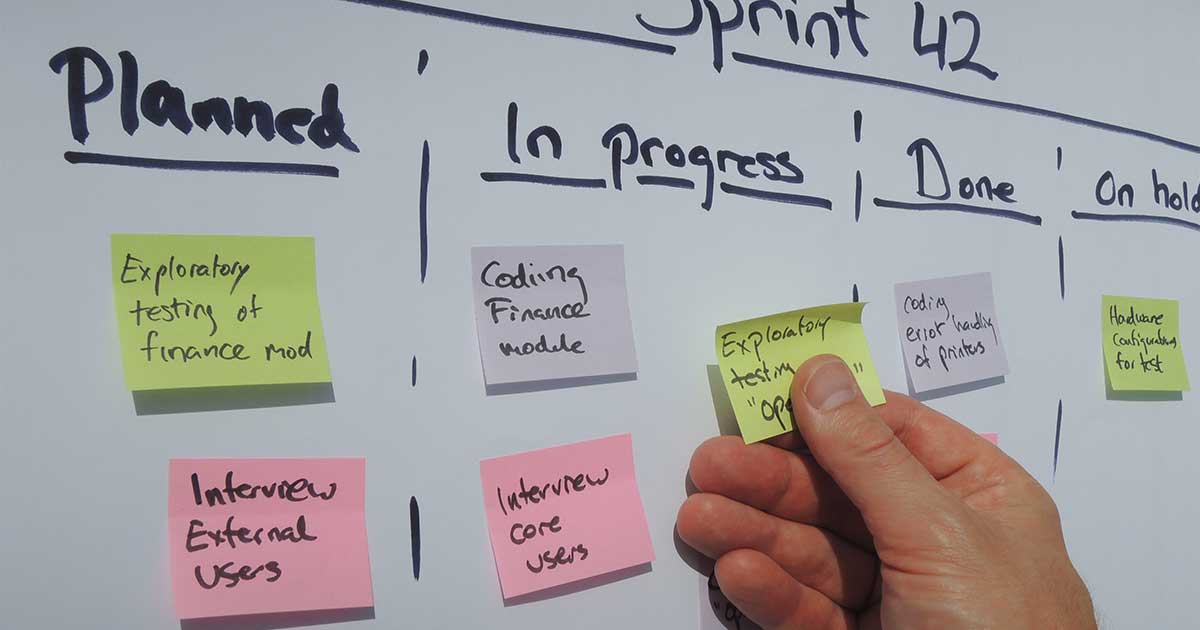
Use kanban board to prioritize the work. Here is a good example with Trello. I usually have the following boards:

  • inbox (all new items come here before being prioritized)
  • V1 or V2 or MVP or whatever version you plan to release (try to schedule only the version that you are working right now)
  • Next Up – the next items that developers should work on (no more than 2-3 items)
  • In Progress – this is what developer is working on right now (there should be no more than 2 items here, e.g. a feature and some urgent bug to fix)
  • Testing – items are under QA’s testing
  • Done – items that are done & tested
  • Later – everything that you plan to work on after the current release

Most of the work items (bug, feature) move this way:
Later -> V1 -> Next Up -> In Progress -> Testing -> Done

Don’t overcomplicate it and create too many boards for any possible scenario and development steps. If in doubt – put items in the Later board.

Lear how to triage bugs. Not all bugs should be fixed, even critical ones. Consider the probability of the bug. It’s like insurance – yes if some bad thing happens, it can be costly, but the probability of it is so low and insurance is so high that it doesn’t make sense to have it.

Ask a developer to commit the code daily, especially at the beginning. This will give you a sense of the progress. Review the new code daily. No, you don’t have to learn to program nor to understand the code. But if one commit has a few lines added (sometimes these can be blank lines) and then removed in the next commit, it’s not a good sign. Look, it’s like writing a book – if an author writes only 100 words per day, it’s not good. GitHub will let you compare the changes. You can also track the progress with GitHub activity monitoring tools.

Be proactive. Get everything ready for the next item the developer will work on ahead of the time. Prepare UI design, UX flow, business and data validation rules, and so on.

All this work should not take you too much time. Depending on the number of developers it can be no more than 2 hours a day. Yes, it looks like a lot of work, but this is the road to a happy and frustration free launching.

Building successful MVP with offshore team. How to find a developer.

This is part 4 of the Building successful MVP with offshore team.


This is part 4 of the Building successful MVP with offshore team.

Where to go?

One man said:

If you need a code – hire developers from India, if you need a solution – from Eastern Europe.

India and Eastern Europe supply most of the offshore developers. There are very common advantages and challenges working with developers from these regions.

Indian developers work best when you need very common applications like CMS, e-commerce, social network and so on. They can deliver such application very fast and with an acceptable quality. Their English is good, but time difference can be a challenge. Also, they tend to work with older technology stacks. Nothing wrong with that, of course. But if later you consider growing the engineering team in-house, this may present some challenges.

Eastern European developers work better on a project that is unique and requires more research, like IoT or ML applications. The time overlap with Eastern Europe is better, but English may be more challenging. Focus is another challenge. Quite often these developers are more interested in writing code rather than delivering a working product.

There are also good developers in Western Europe, Latin America, China and the US, but I have less experience with them.

Selection criteria

Here are the criteria that I use to select the candidates:

  • hourly rate that fit my budget; check the actual rate that freelancers have charged on recently completed jobs because quite often it’s lower that posted rate
  • region (see above)
  • agency – in most cases I try to go with agency rather than a single developer; agency can provide more people if needed or substitute a person if developer is sick or on vacation; but they can also quietly “downgrade” you – give you a senior developer at first, but then replace him with a junior one without telling you. Yes, unfortunately, this happens.
  • total hours worked, especially recent hours
  • success rate and feedback.

Select 5 – 10 candidates and invite them to apply for the job.

Now, about the fixed scope. I would not recommend doing it. It almost never works. Because you have to prepare a detailed specification of the whole application upfront. And whatever price you get will be wrong, because at that moment for most of the freelancers its important to get the job and they will underestimate the effort. It’s better to describe what you need in general, get a rough estimation and then multiply it by 2. The actual time and cost depend on how well you will manage the project. I’ll talk about this later.

When you select candidates, ask for their work – anything that they can show you, whether it’s a completed application or code. Check it, but you cannot be sure that this is really the work of that developer.

Now you have your candidate and ready to go ahead full speed. Stop, don’t do it. Test the developer first. Select something small that should be developed, like Sign Up feature, or Forgot Password or list of the blog posts to show. The developer should be able to get it done in 2 – 5 days. Ask the developer to give you an estimated completion time and work with him. When the feature is done check the following:

  • whether the actual completion time is close to the estimate
  • was it easy for you to work with the developer
  • how many bugs you found in the completed work

If you don’t have any red flags, then hire this person for the rest of the project. Otherwise, pay for the completed work and try the same process with another candidate until you find the right person. Yes, you can loose some money short term but will lose much more if you will continue with the wrong developer.

Building successful MVP with offshore team. Part 3.

This is part 3 of the Building successful MVP with offshore team.

Remember – the more details you let the developer interpret freely and assume, the more likely you are going to fail. Think about it this way – if you decide to build your own house, will you tell the builder that you would like to have a gorgeous open floor plan house with 4 bedrooms? I guess not. You will go through each detail of your dream house before any construction starts.

Product manager

Product manager converts your vision of the application into the exact specification of what user will experience. This includes the exact steps of how a user navigates through your application, mockups of each screen, any data validations and so on. The key word is “exact”.

Let me give you an example. It’s not enough to tell a developer that you need a Log In functionality. You should provide the exact details about it:

  • Should it accept email and/or username
  • Any restrictions about username and password
  • Error message if Log In fails or any field is missing
  • Should user be able to stay logged in (Remember Me option)
  • Should log in ever expire
  • How you are going to handle “Forgot my password”
  • and so on and on …

But this is too much work to describe all these details. Shouldn’t developer already know all these?”. No, but he will assume, and that’s not what you want. Believe me, you will do this work anyway. It’s just a question whether you will do it upfront or after the coding is done, the result is not what you need and it should be rewritten. Doing this work upfront saves you time and money. It also gives your QA the exact testing plan.

Now the question is how can you nail all these details upfront? It’s not that difficult, just don’t try to invent a bicycle. Find any popular application that has a similar functionality and check how it works. For our example with Log In, you can try Facebook, Gmail, Instagram or Quickbook. Try all possible scenarios, write them down, apply for your own case and pass them to developer and QA. You should discuss this specification before any development is started. Make sure that it’s very clear for developer and QA that they should not assume, but ask.

Be proactive and you will succeed.

Building successful MVP with offshore team. Part 2.

This is part 2 of the Building successful MVP with offshore team.

What is MVP?

Let me define what I mean by MVP before going into recommendations. MVP is a product with the least set of features that founders can use to test their business model. You have to consider whether it’s a throw-away or a foundation for your real product. Most founders start MVP with a throw-away approach in mind. They would like to build something quick & dirty and test with a few clients. They plan to build a solid product if MVP has some traction.

It doesn’t work this way in most cases. Founders continue building on top of the throw-away MVP as soon as they get some traction. And soon they have a code that’s difficult to maintain and grow. Their application doesn’t scale and performance is bad. And sooner or later founders face a taught decision – invest into rebuilding the product.

It should not be this way. It’s possible to build a prototype without any investment at all (I am talking about cash, not time). You can do the UI in Sketch and test the UX in InVision. These are very valuable tools that any founder should consider mastering anyway. BTW, I discourage a common theme on startup forums- learn how to code. Programming is not easy. It will take a lot of time to learn it to the level where you can produce something beyond “Hello, world” application.

Originally published at syerik.net.

It’s possible to build MVP on a solid foundation that will be a “keeper”. And it does not need more time or money to build than a throw-away product. I’ll be describing how this kind of MVP can be built.

Developer is not enough


Steve told me: “If only I could find a good developer …“. If you also think that the “right developer” is the way to success, sorry, but you are wrong. If you think that you can pass your vision to a developer and get it back as an application that is close enough to it – forget about it. Save your time and money.

To build a good MVP you need:

  • Product Manager – translates your vision into actual product behavior
  • Project Manager – triages the work and makes sure that it’s done on time
  • UX/UI Designer – defines the experience that users get from your application
  • Architect – makes sure that the “foundation” of your application is good and you will not have to throw it away later (optional, but …)
  • Developer – writes code
  • QA – finds the bugs and verifies the fixes

If you find a developer who can wear all these hats – great, but it’s not going to be cheap. Now, you can hire people to do PM, PrM, UX/UI, QA. Or you can do it yourself. In any case – there ain’t no such thing as a free lunch – you will pay for this work with your time or your money.

I will share how you can do all these work yourself in the next posts (it’s going to be more practical).

Building successful MVP with offshore team

My friend Steve (not a real name) called me recently. He would like to launch a business. He has an idea, business plan and some money to build an MVP. His question: How to? Steve cannot afford SF BA developers. His option is to go offshore. But he heard a lot of scary stories about working with offshore developers.

I’ve heard them too. A lot of them. People had a very bad experience. They will never deal with developers who are not with them in the office anymore. It hurts, I know. I would feel hurt and furious if my personal money were on the line.

But I’ve built successful high-quality applications with offshore teams. And the cost was a fraction of what it would cost to build in the Silicon Valley. I’m not the only one.

I gave Steve some recommendations. I will share them here in the next few posts. Steve can build his MVP offshore. He can do it fast, on budget and without a stress. These recommendations may be useful for you too.

Giving birth to a software

There are a few exciting moments for a software developer when he builds a software (and love doing it). First “clear” run, 1M customers using it without a problem, … For me the most exciting moment is the “birth”. At first there is nothing, nothing material – just some thoughts in the people’s heads. And then you create a folder, name it, add some files and run it. And it runs. It does nothing really, but it runs! There was nothing, and now there is something. This “something” is small, useless and ugly, but you see the future beauty of it. You see people who will use it, love it (or dislike). It will solve their problems and make their life easier.

But it’s still just yours at this moment. And then you commit. And boom, it’s part of the world, not just yours anymore. Even if it’s only your partner or code repository who knows about it. It’s out “there”.

And although I do it every day for some “exploration” projects, it’s different. That doesn’t bring that excitement. But starting an application that will “live” is like planting a tree or breaking ground for a new home. I may not see the tree grow or build the most of the home, but it’s all about starting it. Yes, I love to see a working product in the hands of the people. It feels good. But starting it …

I see quite often auto-generated comment in the code “Created by …“. I never like it. But when you commit the code, you have to give your name. And I know that there are a few products around that have my name at the root. And it brings a happy smile to my face 🙂.

A few day ago a new tree was planted …